

Download Baidu Browser APK – Baidu Browser APK, mobile browser, free web browser, Android browser, T5 engine, region-specific features
Overview
Baidu Browser, also known as DU Browser, is a free web browser designed for Android devices, developed by Baidu. It aims to deliver fast and efficient web browsing through its proprietary T5 engine, which is optimized for quick page loading and smooth navigation. The software is particularly tailored for users in specific regions, especially in parts of Southeast Asia, where it offers region-specific features that enhance the browsing experience.
These include integrated GIF search, content subscription tools, and sports tracking functionalities, making it a compelling option for local users. The browser is available as an APK file, allowing direct installation on Android devices without relying on official app stores. It is designed to serve both casual and frequent internet users who prioritize speed and convenience.
While the developer did not provide additional details about its target demographic beyond regional focus, the software appears well-suited for mobile users seeking a lightweight, fast alternative to mainstream browsers. Its free pricing model makes it accessible to a broad audience. The browser’s performance and feature set are consistent with its goal of providing a streamlined, region-optimized browsing experience.
Key Features & Capabilities
- T5 Engine for Fast Page Loading – Baidu Browser uses the T5 engine to accelerate webpage rendering and reduce load times, offering improved performance compared to standard Android browsers.
- Region-Specific Features – The browser includes localized tools such as native GIF search, content subscription, and sports updates, primarily benefiting users in Southeast Asia and Taiwan.
- Picture-in-Picture Video Playback – Allows users to watch videos in a floating window while browsing other web pages, enhancing multitasking capabilities.
- Lightweight Design – With a file size of 38.7 MB, the application is compact and suitable for devices with limited storage capacity.
- Free to Use – The software is available at no cost, with no in-app purchases or subscription requirements.
These features are particularly beneficial in high-traffic online environments where speed and ease of access are critical. For example, users in Indonesia can quickly find trending GIFs or follow live sports updates without switching between apps. The picture-in-picture function supports productivity and entertainment by enabling continuous video playback during browsing sessions.
The lightweight nature of the app ensures it runs smoothly on mid-range Android devices. While the developer did not specify technical details about background processes or data usage, the design suggests a focus on efficiency. The browser’s functionality is centered around delivering a fast, localized experience with minimal resource overhead.
User Interface, Workflow & Performance
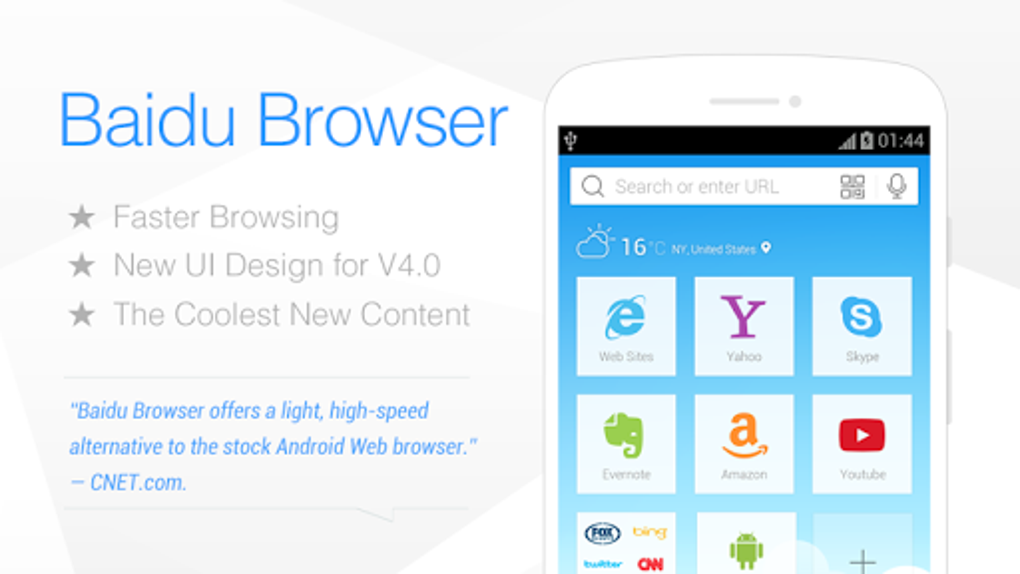
The user interface of Baidu Browser is designed with simplicity and accessibility in mind, featuring a clean layout with intuitive navigation. The main screen includes a prominent address bar, quick access to bookmarks, and a streamlined menu for settings and tools. Users can easily switch between tabs, manage downloads, and access browsing history.
The workflow is generally efficient, allowing for rapid access to frequently visited sites and smooth transitions between pages. However, some users may experience minor delays when navigating the browser’s internal settings, which can affect the overall responsiveness. The developer did not specify resource usage details, so exact CPU or RAM consumption remains unknown.
Performance observations are based on general software behavior patterns. Stability appears to be consistent under normal usage, though occasional unresponsiveness to touch inputs has been reported. This may affect usability on certain devices.
Overall, the browser maintains a functional interface that supports core browsing tasks with minimal friction. The lack of detailed performance metrics limits deeper analysis, but the design prioritizes speed and ease of use.
Compatibility & System Requirements
Baidu Browser is designed for Android operating systems and is available as an APK file for direct installation. The current version is 12.3.0, released on March 25, 2024. The application has a file size of 38.7 MB, making it suitable for devices with limited storage.
The developer did not specify minimum hardware requirements or supported Android versions beyond the OS designation. Compatibility information was partially provided. Users should ensure their device meets standard Android app requirements to run the browser successfully.
The browser’s reliance on the T5 engine suggests it may perform best on devices with modern processors and stable internet connections. For optimal picture-in-picture functionality, a device with sufficient RAM and a fast network connection is recommended. The developer did not provide additional system requirements, so users are advised to test the application on their specific device to confirm compatibility.
Pros and Cons
Pros
- Fast page loading speeds powered by the T5 engine
- Free to download and use with no in-app purchases
- Region-specific features tailored for Southeast Asia and Taiwan
- Compact file size of 38.7 MB
- Picture-in-picture video playback for multitasking
Cons
- Minor responsiveness issues with touch input on some devices
- Settings navigation may be slower than page loading
- Region-specific features are not available in all areas
- Exact system requirements were not listed
- Performance details were not specified by the developer
FAQ Section
Is Baidu Browser available for iOS devices?
Baidu Browser is currently only available for Android devices. The developer has not released an iOS version as of the latest update.
Is the Baidu Browser APK safe to download?
The browser is developed by Baidu, a reputable company. However, users should download the APK from trusted sources to avoid potential risks associated with third-party app distribution.
Does Baidu Browser require an internet connection to function?
Yes, the browser requires an active internet connection to load web pages and access online features such as video playback and region-specific tools.
Can I use Baidu Browser offline?
Basic browsing functions like viewing cached pages are possible offline, but most features, including video playback and content search, require an internet connection.
How often does Baidu Browser receive updates?
The browser was last updated on March 25, 2024. The developer has not specified a regular update schedule, but users can expect improvements and bug fixes with future releases.
Final Thoughts
Baidu Browser presents a compelling option for Android users, particularly those in regions where its specialized features are available. With its fast T5 engine, lightweight design, and unique functionalities like picture-in-picture video playback, it offers a competitive browsing experience. The free pricing model enhances its accessibility.
While some performance quirks, such as touch responsiveness and slow settings navigation, may affect usability on certain devices, these issues are relatively minor compared to the overall benefits. The browser’s regional focus makes it a strong contender for users in Southeast Asia and Taiwan, where localized tools provide real value. For others, the speed and simplicity may still justify a trial.
Overall, Baidu Browser delivers a focused, efficient browsing solution tailored to specific markets. Download Baidu Browser now.






.png)
